
A gadget buying guide works best when it teaches how to read a product page, not which box to pick. This page covers the specs that matter, how standards fit together, and where to read deeper on each topic.
It is an independent, informational resource. It is not affiliated with any brand, retailer or carrier, and it does not recommend products. Each section below points to a focused explainer on the same site.
How to read a spec sheet before you buy
Most product pages mix three kinds of information: measurements, standards and marketing. Measurements are numbers with units, such as watt-hours or megabits. Standards are named specifications maintained by a body outside the manufacturer. Marketing is everything else, including adjectives like “fast” or “pro”. A useful habit is to sort every line on a spec sheet into one of those three groups, then spend time only on the first two.
Standards are the most useful group, because a named standard has a public definition. When a product says it supports a given charging standard, wireless generation or smart home protocol, the organisation behind that standard publishes what the label should mean. The explainers linked below are built around those definitions, so a reader can compare a claim on a box with the text of the specification.
It also helps to separate what a feature does from what it needs. A fast charging claim depends on the charger, the cable and the device. A high quality wireless audio claim depends on the phone, the earbuds and the codec both support. A fast wireless network claim depends on the router, the client device and the distance between them. Looking for the weakest link in that chain explains most disappointments.
Finally, check the practical fine print: what is included in the box, how long the maker states it will provide software updates, how the warranty is described, and how the battery is rated. These items rarely appear in the headline specs, yet they decide how a gadget feels after the first year.
Comparing two similar products becomes easier with a simple rule: compare like with like. Two chargers should be compared on the same measurements, two speakers on the same connection types, two routers on the same supported standards. When a page uses a different unit or leaves a measurement out, that gap is itself information, and it is reasonable to look for the missing figure in the manufacturer’s manual or support page before deciding.
Dates matter too. Standards are revised, and a product that was current when it launched may describe an older revision. Matching the revision printed in a product’s documentation against the current one is a useful check.
Power, charging and batteries
Charging is the area where a standard does the most work behind the scenes. usb-c power delivery is the specification that lets a charger and a device negotiate voltage and current over one cable. The USB Implementers Forum states that revision 3.1 of the specification enables delivering up to 240W of power over a full-featured USB Type-C cable and connector, which is why one connector style now appears on everything from earbuds to laptops. The explainer covers cable ratings, voltage levels and the optional programmable modes.
The same USB-IF page lists examples that show why the standard matters beyond phones. A monitor with a supply from the wall can power, or charge, a laptop while still displaying, and USB bus-powered hard disk drives and printers no longer need a separate power brick. For a buyer, the lesson is that a single cable may now replace several, provided the devices at both ends and the cable itself are rated for the job.
Charger size is a separate question. The explainer on the gan charger describes what gallium nitride changes inside the power supply and what it does not change about the negotiation with the device.
Portable batteries bring their own vocabulary. The guide to power bank capacity explains why the milliamp-hour figure printed on a pack is not the same as the energy that reaches a phone, and how watt-hours give a fairer comparison across packs with different internal voltages.

Anyone travelling by air should read the rules before packing. The article on power bank airline rules summarises what regulators say about spare lithium batteries. The US Federal Aviation Administration, for example, states that “Lithium ion (rechargeable) batteries are limited to a rating of 100 watt hours (Wh) per battery” and that spare lithium batteries, including power banks, must be carried in carry-on baggage only. The FAA adds that battery terminals must be protected from short circuit. Airlines can apply their own additional conditions, so the airline and the battery maker are the places to confirm the rule that applies to a specific trip.
Battery wear matters as much as capacity. The page on lithium ion battery care collects what manufacturers and standards documents say about heat, charge levels and storage, so a reader can see which habits are backed by a primary source and which are folklore.
Readers who carry several chargers, cables and batteries on trips can treat this group of explainers as one system. The charging standard decides what the cable and charger must support, the power bank page explains how to compare stored energy, the airline page covers what regulators say about carrying it, and the battery care page covers what happens to the cells over time. Reading them in that order follows the journey of a battery from purchase to daily use.
Audio, headphones and microphones
Wireless audio quality is partly a software decision. The explainer on Bluetooth codecs compares SBC, AAC, aptX and LDAC, and shows why both ends of the connection must support the same codec before it can be used.
The word “codec” simply means the method used to compress and decompress the audio between the phone and the headphones. Because the method has to match on both sides, a product page that names a codec is making a statement about a pair of devices, not about the earbuds alone. Reading the codec list on both the phone and the headphones is a quick way to see what the pair can actually use.
Noise reduction is easier to judge once the method is clear. A short guide on how noise cancelling works describes how microphones and processing produce a cancelling signal, and why the technique suits steady sounds better than sudden ones.
Recording is a different problem from listening. For voice work, the first choice is usually the interface. The comparison of a USB vs XLR microphone setup explains what each connection type needs, from computer ports to audio interfaces and preamps. The second choice is the capsule type. The article on condenser vs dynamic microphone designs explains how each one picks up sound, and why room noise affects them differently.
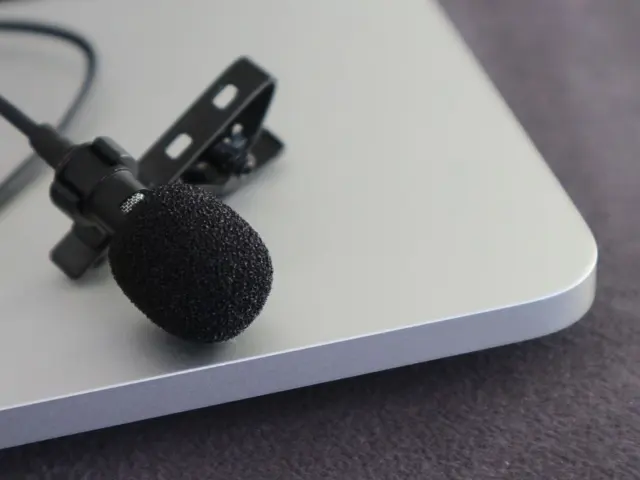
Creators who film with a phone or camera often ask about wireless options. The guide to a wireless lavalier microphone covers transmitters, receivers and how they connect to phones and cameras.
Whichever route is chosen, the room matters as much as the microphone. Hard walls, fans and computers all add sound that a recording will capture, so the position of the microphone relative to the speaker and to the noise source is part of the specification in practice. The pages above describe the design differences, while the manufacturer’s manual for a specific model states its pickup pattern and connections.
Taken together, these four pages form a reasonable path for someone setting up a small recording or streaming desk: decide how the signal will reach the computer, decide which kind of microphone suits the room, and decide whether wireless freedom is needed at all.
Wearables, displays, cameras and tablets
Smartwatches and fitness bands advertise a long list of sensors. The explainer on smartwatch sensors describes what each sensor type measures and how, so that a feature list can be read as a set of physical measurements rather than a promise.
Screens deserve the same treatment. Readers who want a display that looks like paper in daylight can read about how e-ink works, including why these panels hold an image without drawing power and why they refresh differently from a phone screen.
Action cameras are a category where a few specifications decide most outcomes. The guide to action camera basics covers sensors, stabilisation and mounts, which are the areas where small cameras differ most.

Tablets sit between phones and laptops, which makes the choice less obvious. The walkthrough on how to choose a tablet looks at screen, chip, storage and software, and explains how the stated update period for the operating system affects how long a tablet stays useful.
Phones are a bigger subject than one section can hold, and they have their own hub. Readers comparing handsets should start with the guide on how to choose a smartphone, which covers the specs that matter for phones in particular.
A common thread across these categories is that a bigger number is not always a better fit. Matching the specification to the actual task, then checking how long the maker supports the product, usually leads to a better result than comparing headline figures alone.
Networking, smart home and connections
Home networking has its own naming problem. The comparison of wifi 6 vs wifi 7 sets out what each generation changes, so a router box can be read without guesswork.
Coverage is a different issue from speed. The article about a mesh wifi system explains when several nodes help a large or awkward home and when a single well-placed router is enough.
Smart home devices add one more layer. The explainer on the Matter smart home standard describes how a common protocol is meant to let devices from different brands work together, and what the standard does and does not guarantee.
Wired connections are where naming gets most confusing. The guide to usb4 vs thunderbolt decodes the names used for USB and Thunderbolt ports, so that two identical-looking sockets can be told apart by what they support.
Names like these are a good example of why a guide is worth reading before buying. Two cables or ports can look the same and still support very different features, so the label printed beside the port, or the page in the manufacturer’s manual that describes it, is the reliable source. The explainers on this site point back to the standards bodies so a reader can check the original definitions.
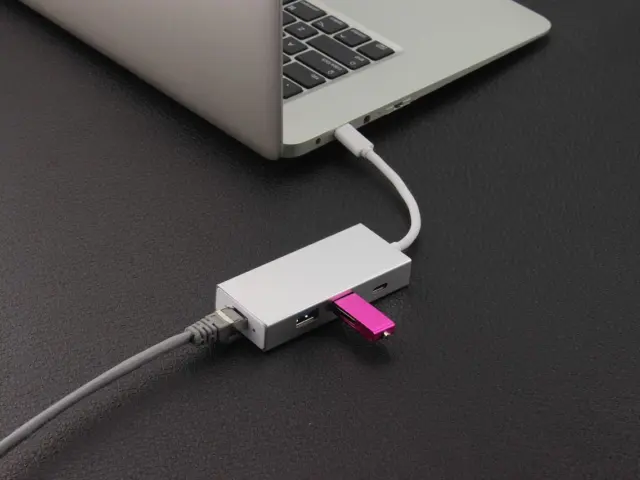
Accessories that extend a laptop come next. The comparison of a USB hub vs docking station separates simple port expanders from products that add power, displays and networking, and ties back to the power delivery rules discussed earlier.
Storage is the last piece of the desk. The article on portable SSD vs HDD drives compares speed, durability and cost, which helps when choosing where to keep backups or large files.
Longevity and end of life
A gadget purchase is not finished when the box is opened. Every device eventually leaves service, and the volume of retired electronics is large. The United Nations’ fourth Global E-waste Monitor reports that a record 62 million tonnes of e-waste was produced in 2022, up 82% from 2010. Its summary adds that just 1% of rare earth element demand is met by e-waste recycling.
The same report found that less than one quarter, 22.3%, of the year’s e-waste mass was documented as properly collected and recycled in 2022. It lists limited repair options and shorter product life cycles among the challenges behind the widening gap. For a buyer, that points to practical questions: can the product be repaired, is it supported by software for years, and is there a clear route for returning it at the end of its life?
Those figures are a reason to think about the exit when thinking about the purchase. The guide on how to recycle electronics explains how to find proper collection routes, why batteries need separate handling, and how to prepare a device for recycling so that personal data does not travel with it.

Longevity also depends on choices made at purchase: replaceable or serviceable parts where the maker documents them, software support that is stated in writing, and standard connectors that will still be in use in a few years. None of these appear in a benchmark chart, but each can be checked on the product page or the manufacturer’s support pages before buying.
A checklist, and where to go next
This site groups its explainers into three areas: gadgets, China’s consumer tech industry, and smartphones. Readers curious about where many consumer electronics brands and factories are based can continue with the overview of Chinese tech brands, which describes the companies and manufacturing hubs behind a large share of the devices on shelves today.
A sensible way to use these guides is to start from the problem, not the product. Decide what the gadget must do, find the standard that governs that task, read the matching explainer, and then read the spec sheet with that vocabulary in hand.
A short checklist can keep a comparison honest:
- Write down the task the gadget must perform and the place it will be used.
- List the standards that govern that task, such as the charging, wireless or connector standard.
- Check that every part of the chain supports those standards: the device, the cable, the charger or the router.
- Read the manufacturer’s stated support period for software updates and the warranty terms.
- Look up the battery rating in watt-hours if the product will travel by air.
- Plan the end of life: repair options, trade-in programmes and local recycling points.
None of these steps needs a lab or a stack of review units. They depend on reading primary documents carefully, which is what the explainers linked above are designed to help with.
Frequently asked questions
What should I check first on a gadget’s spec sheet?
Show answer
Start with the named standards and the measurements, such as watt-hours, supported charging standard or wireless generation. Then look at the support period for software updates and the warranty terms described by the manufacturer.
Do I need to read every standard to buy a gadget?
Show answer
No. It is enough to know which standard governs the feature you care about. The linked explainers summarise those standards and point to the bodies that publish them.
Can I take a power bank on a plane?
Show answer
Regulators set limits on spare lithium batteries. The FAA says spare lithium batteries, including power banks, must be carried in carry-on baggage only. Confirm the exact rules with your airline and the battery maker before you travel.
Does this site sell or recommend products?
Show answer
No. It is an independent informational site with no buying links and no affiliation with any brand, retailer or carrier.
Why do so many gadgets use USB-C now?
Show answer
The USB-IF describes USB as having evolved into a primary provider of power as well as a data interface, and USB Power Delivery lets one cable carry both. The explainer on USB-C power delivery covers the details.