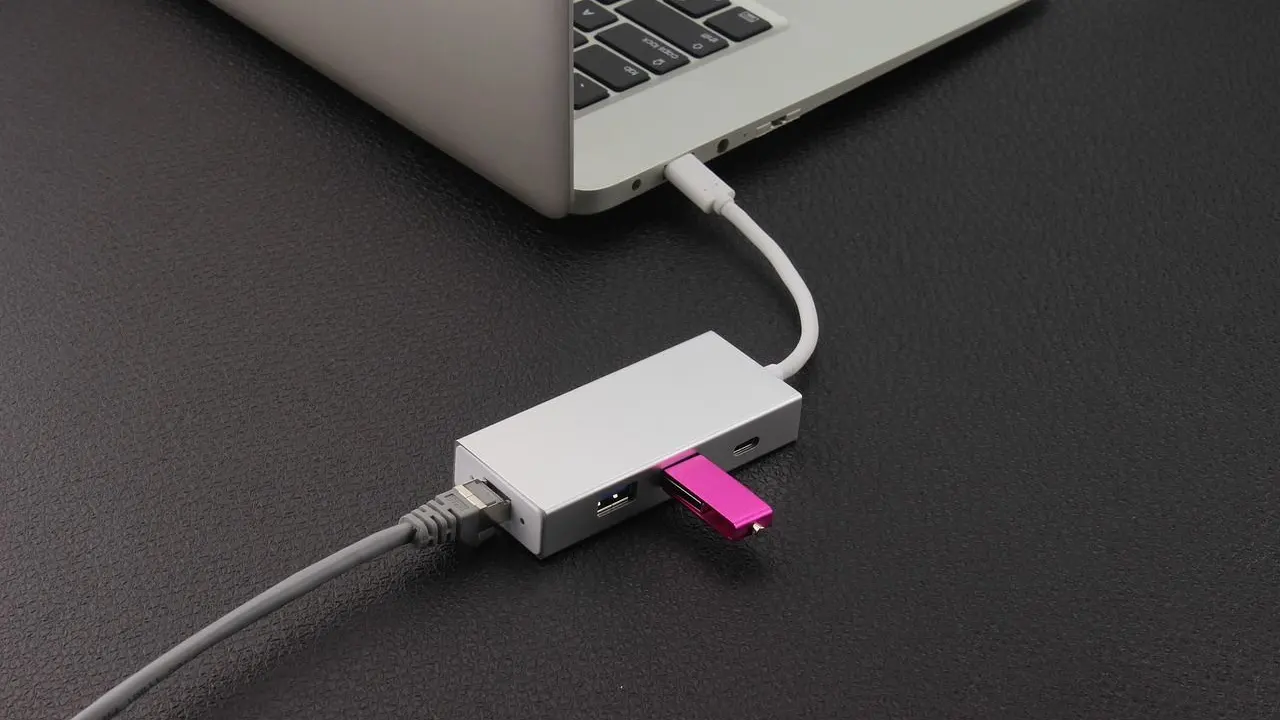
In the usb hub vs docking station choice, a hub mainly multiplies ports, while a dock adds charging, displays and often Ethernet through a single cable. Which one fits depends on the device and the desk.
It is one of many accessory decisions covered in the gadget buying guide. This page is an independent informational site and is not affiliated with any maker of hubs, docks or computers named here.
What a USB hub does
A USB hub takes one port and turns it into several. It is the simplest accessory in the category: plug it into the computer, then plug a keyboard, mouse, flash drive or card reader into the hub. According to the encyclopedia entry on USB hubs, hubs can extend a USB network to a maximum of 127 ports, and the USB specification requires that bus-powered hubs are not connected in series to other bus-powered hubs.
That second rule matters in practice. Daisy-chaining small bus-powered hubs runs against that rule, so a single hub with enough ports is the better arrangement.
Basic hubs do not usually add video or Ethernet. The line between the two categories is loose, which is why product pages can be confusing.
What a docking station adds
A docking station is built around the idea of one cable between the computer and a desk setup. Microsoft’s Surface Thunderbolt 4 Dock overview shows the idea clearly. It says a user can plug in one cable to power a device, connect two 4K monitors at up to 60 Hz, and transfer data and files at up to 40 Gbps. The same page lists a 2.5-gigabit Ethernet port and states that the dock supplies up to 96 W passthrough to a connected PC from a 165 W power supply.
The page also shows how a single maker separates the categories. Its comparison table lists four products, with the types given as most fully featured dock, full stationary dock, legacy dock and portable hub. In other words, even a manufacturer treats a compact travel hub as a different product from a desk dock.
So a name alone does not settle the question. The feature list does.
Power: bus-powered, self-powered and charging through the dock
Power is the first practical difference. A bus-powered hub takes its power from the computer, so every device on it shares what the computer’s port can supply. A self-powered hub takes its power from an external power supply unit and, according to the encyclopedia entry, can therefore provide full power, up to 500 mA, to every port. The same entry gives the arithmetic: a USB port that draws 500 mA at 5 volts is drawing 2.5 watts of power.
That figure explains why a bus-powered hub struggles with hungry devices. An external drive that needs a lot of current, or several phones charging at once, can exceed what one upstream port provides. Choosing a hub with its own power adapter solves the problem.
Docks go further because they charge the computer itself. The USB Implementers Forum notes on its USB Power Delivery page that the PD 3.1 specification enables delivering up to 240W of power over a full-featured USB Type-C cable and connector, while before that update USB PD was limited to 100W. It also says a monitor with a supply from the wall can power, or charge, a laptop while still displaying, which is the same principle a dock uses.
For a deeper look at wattage, cables and profiles, the explainer on usb-c power delivery covers how a charger and a laptop agree on a power level. The practical point here is simple: match the dock’s pass-through wattage to what the laptop needs, because a dock that supplies too little will charge slowly or not at all.
Displays and bandwidth
Video is where docks justify their price. Driving monitors takes a lot of bandwidth, and the connection between computer and dock has to carry it alongside data. The USB-IF says on its USB4 page that USB4 doubles the maximum aggregate bandwidth of USB and enables multiple simultaneous data and display protocols, with up to 80 Gbps operation over 80 Gbps certified cables. It adds that the specification is based on the Thunderbolt protocol specification contributed by the Intel Corporation, and that compatibility with existing USB 3.2, USB 2.0 and Thunderbolt 3 hosts and devices is supported, scaling to the best mutual capability of the devices connected.
The weakest link sets the result. Microsoft’s dock page states that 4K at 60 Hz via USB-C requires High Bit Rate 3 (HBR3) support on both display and host computer. A dock cannot add display capability the computer does not have, so check the laptop’s specifications for the number of external displays it can drive before buying a dock for two monitors.
A simple hub, by contrast, normally carries no video. If the goal is only to add ports for a keyboard, mouse and storage, a hub is enough and a dock would be wasted money.
Matching the accessory to the device
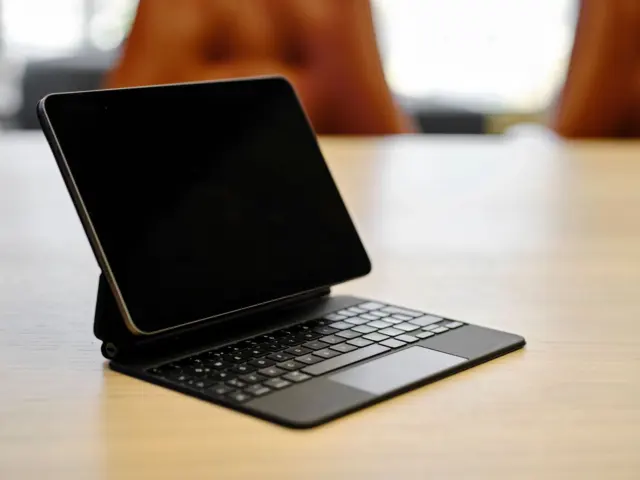
Laptops with several ports can use either accessory, but tablets and thin laptops often have a single USB-C port. For those, a hub restores the missing ports and a dock turns the device into a desktop. A buyer reading about how to choose a tablet will see that the same logic applies: count the ports on the device, decide which accessories must connect at once, and then pick the cheapest accessory that covers them.
A short checklist helps:
- Count the devices that must stay connected, including the charger.
- Decide whether external monitors are needed, and how many.
- Check the laptop’s rated display output and its USB4 or Thunderbolt support.
- Look for a self-powered design if drives or phones will be attached.
- Check the dock’s pass-through wattage against the laptop’s charger.
- Look for Ethernet if a wired network connection is useful.
Travelers often favor a portable hub with a few ports, because it is small and light. People with a fixed desk usually benefit from a dock, since every desk device connects to it once and the laptop needs only one cable on arrival.
Frequently asked questions
Is a docking station just a bigger USB hub?
Show answer
Not quite. A dock usually adds a power supply, video outputs and often Ethernet and charges the computer through one cable. The encyclopedia entry notes that a power-delivery hub may be called a docking station, so check the feature list rather than the name.
Do I need a powered hub?
Show answer
If the hub will run external drives, printers or several charging devices, a self-powered model is the safer choice, because it takes power from an external supply and can provide full power to every port.
Why is my second monitor not working through a dock?
Show answer
The computer may not support the second display, or the connection may lack the required support. Microsoft states that 4K at 60 Hz via USB-C requires HBR3 support on both display and host computer.
Can any USB-C dock charge any laptop?
Show answer
A dock can only supply the pass-through power it was built for. The USB-IF describes USB Power Delivery levels up to 240W, but a given dock offers a fixed amount, such as the 96 W passthrough in Microsoft’s example, so compare it with the laptop’s charger.