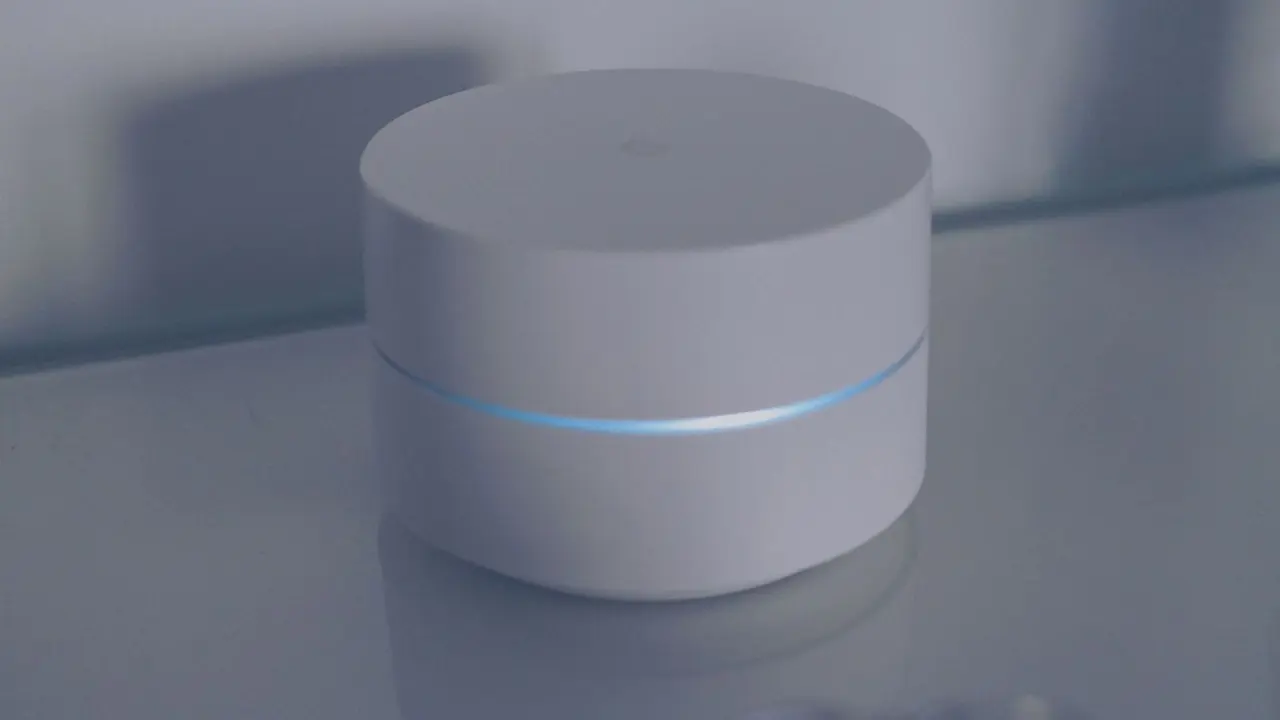
A mesh wifi system replaces one router with several linked units that share a single network name and hand devices from one unit to the next. It helps most in large or awkwardly shaped homes, and least in small ones.
Mesh is one of the choices covered in the gadget buying guide, which looks at specs, value and longevity across home electronics.
What a mesh system actually is
A traditional home setup has one router that broadcasts Wi-Fi from a single spot. Anything far from that spot, or on the other side of thick walls and floors, gets a weaker signal. A mesh system tackles this by placing several access points (often called nodes or satellites) around the building. One node connects to the modem or internet line and acts as the gateway. The others relay traffic to it.
The Wi-Fi Alliance describes the idea in its EasyMesh programme: Wi-Fi EasyMesh networks employ multiple APs that work together to form a unified network, and the network can guide devices to the best AP and modify the network structure based on changing conditions. In plain terms, the units cooperate rather than each acting as a separate router.
That cooperation is what separates a mesh from a simple range extender. A basic extender repeats a router’s signal under its own settings and, depending on configuration, may share the router’s name. TP-Link’s support documentation notes that when devices broadcast with the same name, you can only see one network name in the wireless list of your end devices, so a phone cannot tell which unit it has joined. A mesh system is built to manage that handover for you.
How the nodes talk to each other: backhaul
The link between nodes is called backhaul, and it decides much of how a mesh performs. There are two kinds.
- Wireless backhaul: the nodes talk to each other over radio. This needs no extra cables, which is the main appeal. The cost is that radio time spent relaying traffic is time not spent serving your phone or laptop, unless the system has a spare radio dedicated to the job.
- Wired (Ethernet) backhaul: the nodes connect by network cable, so the relay traffic stays off the airwaves.
Manufacturers support both. eero’s support page says that eeros can be connected together via Ethernet backhaul, or they can connect wirelessly, and adds that if a home is already wired with Ethernet, the company’s advice is to use those connections because they maximize speeds and reduce wireless interference. The same page also notes that some units, such as the eero Beacon and eero 6 Extender, have no Ethernet ports and can only join wirelessly.
In general terms, a tri-band unit has an extra radio that a manufacturer may reserve for node-to-node traffic, though whether it does so varies by product and firmware. The product’s own documentation is the place to confirm how a given model uses its bands.
When a mesh system helps
A mesh is a reasonable fit in several situations.
- Large or multi-storey homes where one router cannot reach every room. Several units spread across the building shorten the distance from any device to the nearest node.
- Homes with awkward layouts or dense walls, where a single central router leaves dead spots at the edges.
- Homes already wired with Ethernet. Connecting nodes by cable avoids the shared-airtime penalty described above, and it lets nodes sit where coverage is needed rather than where a signal can reach.
- Households that want one network name. Moving around the house, devices stay on a single network while the system decides which node serves them.
The Wi-Fi Alliance lists flexibility of placement as a benefit of its standard: EasyMesh allows best placement of multiple APs providing extended coverage. The same page notes that the standard supports adding access points from multiple vendors, although whether a particular consumer product takes part in EasyMesh depends on its maker.

When it does not help
Mesh is not a cure-all. Several problems it cannot fix:
- A slow internet plan. Wi-Fi coverage and the speed of the line coming into the home are separate things. A mesh cannot deliver more than the line supplies.
- A small flat or single-floor home. One well-placed router often covers it, and extra nodes add cost and complexity without much gain.
- Nodes placed too far apart. Each node needs a decent link back to the rest of the system. A node at the edge of the main unit’s range relays a weak signal onward, so the far rooms may still be poor.
- Older client devices. A phone, console or smart plug that supports only an older generation will not gain from newer features in the system around it.
If a single room has poor signal, a wired access point or a better router position may solve it more simply than a whole system.
Wi-Fi generations and the 6 GHz band
The generation of Wi-Fi in a mesh system affects how much capacity the nodes have to share between clients and backhaul. The Wi-Fi Alliance says that Wi-Fi 6 also introduced Wi-Fi in the 6 GHz band in addition to the 2.4 GHz and 5 GHz bands available in previous generations, which in practice means devices marked Wi-Fi 6E. Extra spectrum matters in a mesh because a spare band can carry relay traffic away from the bands devices use.
The Alliance adds that Wi-Fi 7, introduced in 2024, works across the 2.4 GHz, 5 GHz and 6 GHz bands. It includes 320 MHz channels in the 6 GHz band that provide twice the throughput of Wi-Fi 6, and multi-link operation, which supports more efficient load balancing of traffic among links. The detail of each standard is covered in the guide to wifi 6 vs wifi 7.
A newer generation only helps when both the node and the device support it, so it is worth checking what the devices in your own home can actually use before paying for an upgrade.
Mesh and the smart home
Coverage matters for these devices, since many of them cannot move closer to a router. Wi-Fi is also not the only radio they use, and the connection standards for them overlap in places. The matter smart home explainer covers how that standard sits on top of networks like Wi-Fi.
When comparing systems, the points worth checking against a manufacturer’s own pages are the number of Ethernet ports on each node, whether a band is set aside for backhaul, and which Wi-Fi generation the system supports. Marketing speed ratings combine all bands and do not describe what one device will see.
Frequently asked questions
Is a mesh system the same as a range extender?
Show answer
No. An extender repeats an existing router’s signal, while a mesh system is a set of units designed to work as one network and manage device handover between nodes.
Does Ethernet backhaul make a difference?
Show answer
Manufacturers such as eero say that using Ethernet where a home is already wired maximizes speeds and reduces wireless interference, because relay traffic stays off the airwaves.
Can I mix mesh units from different brands?
Show answer
Only where the products support a common standard. The Wi-Fi Alliance says Wi-Fi EasyMesh enables the addition of access points from multiple vendors, but support depends on the individual product.
Will a mesh make my internet plan faster?
Show answer
No. It improves how Wi-Fi reaches different rooms; the speed of the line into the home is set by the internet plan.